Pixel on Shopify
Caution
Shopify integration is not supported for Shopify advertisers who run in headless mode. If you run in headless mode, consider integrating with Google Tag Manager instead.
The Shopify Pixel uses Shopify's built-in Web Pixels API.
A. Integrate Customer Events
Step 1: Login to your Shopify Admin store.
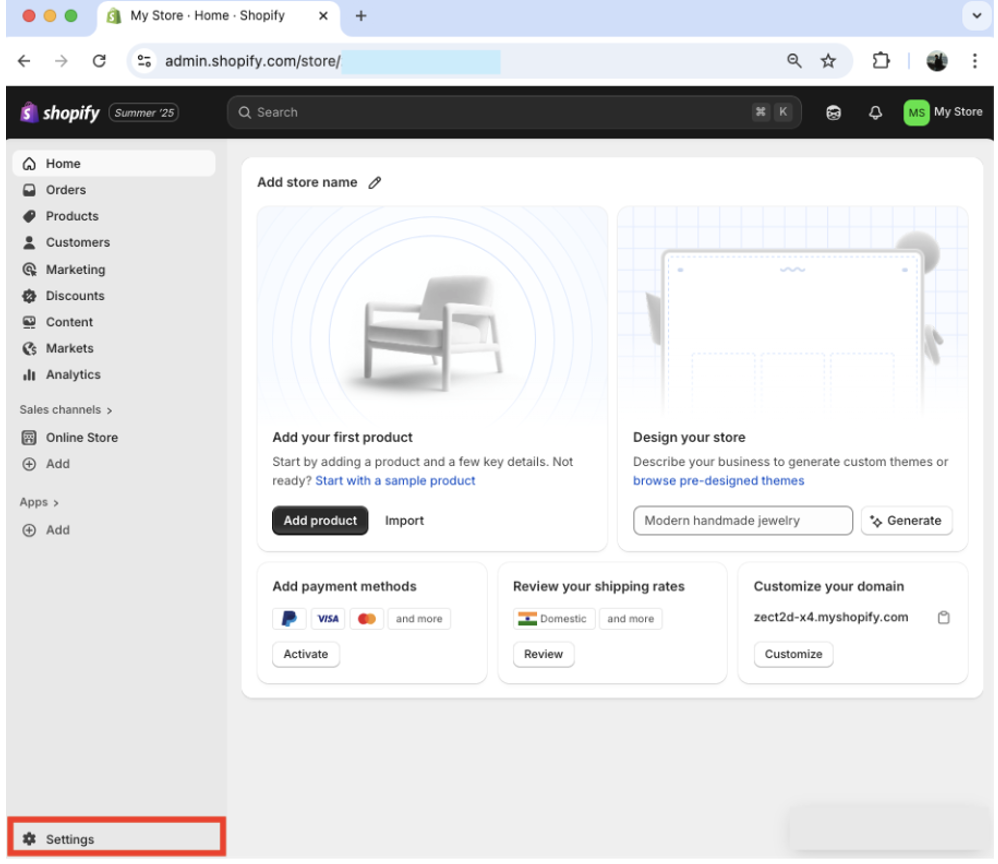
Step 2: Select Settings.
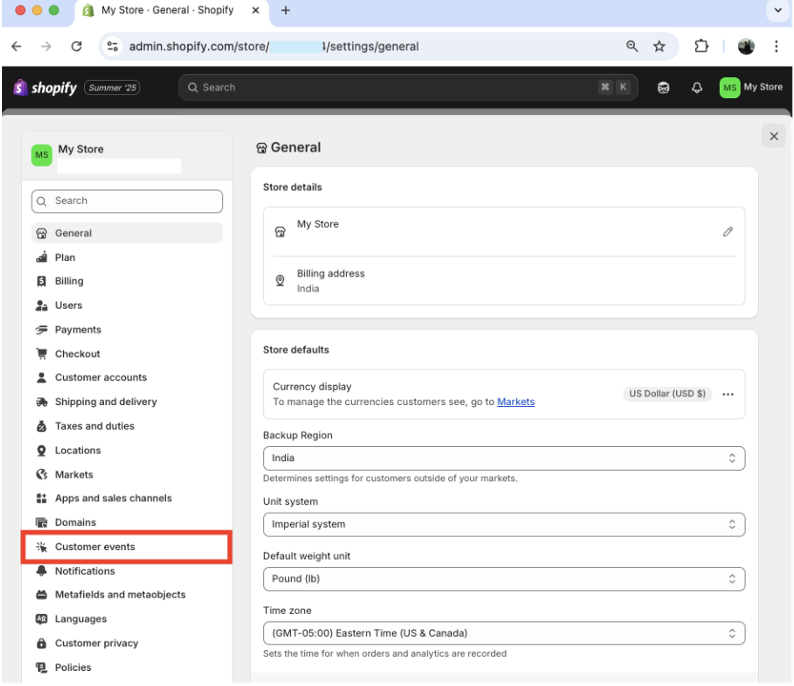
Step 3: Select Customer events.
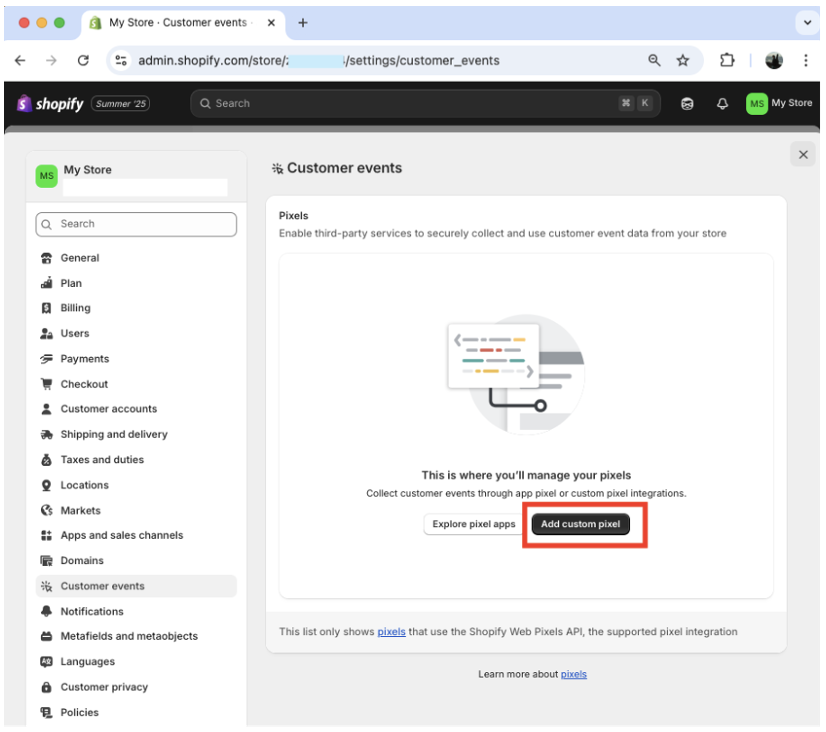
Step 4: Click the Add custom pixel button.
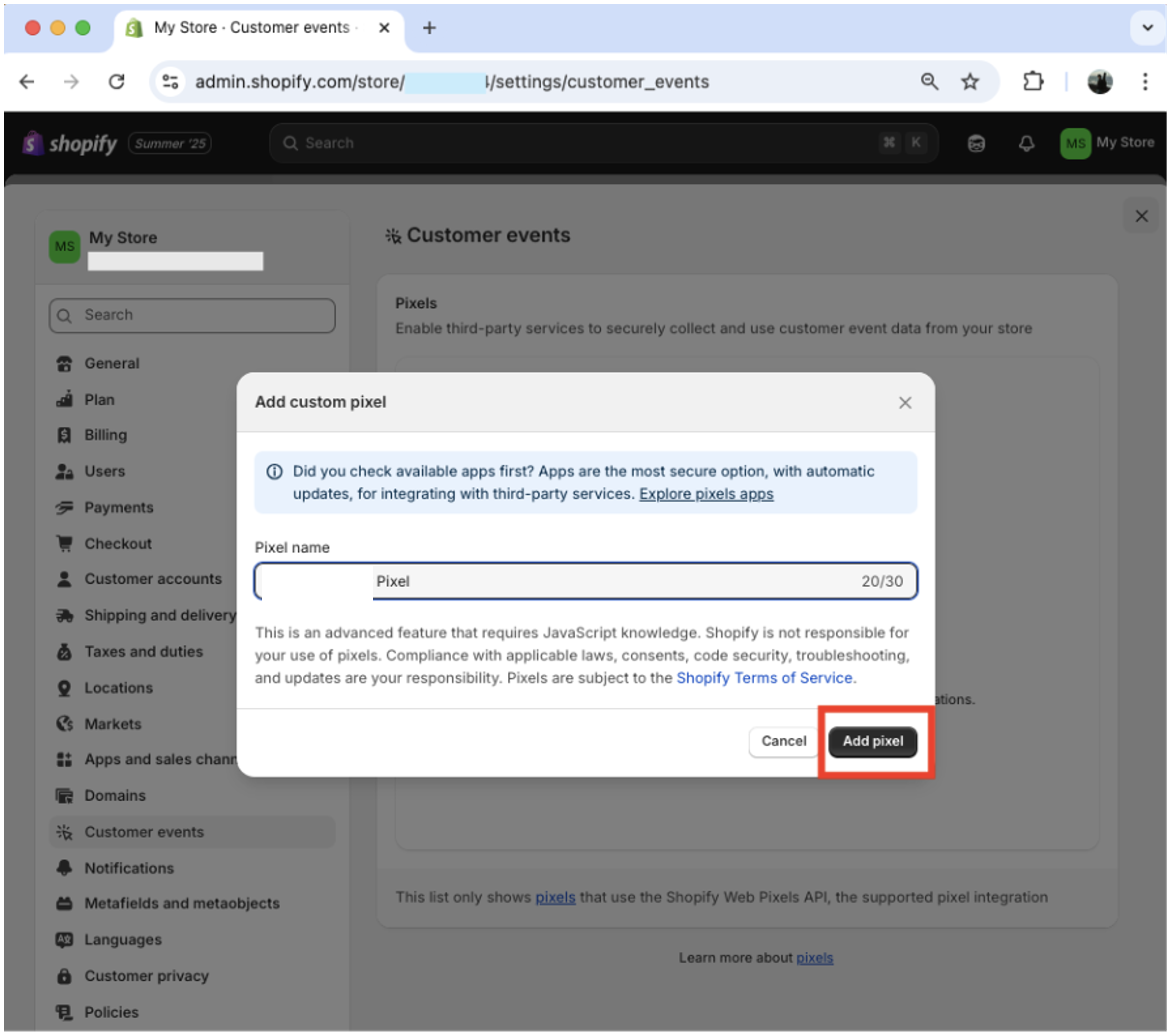
Step 5: Type "Glance Shopify Pixel" as the Pixel name and click Add pixel.
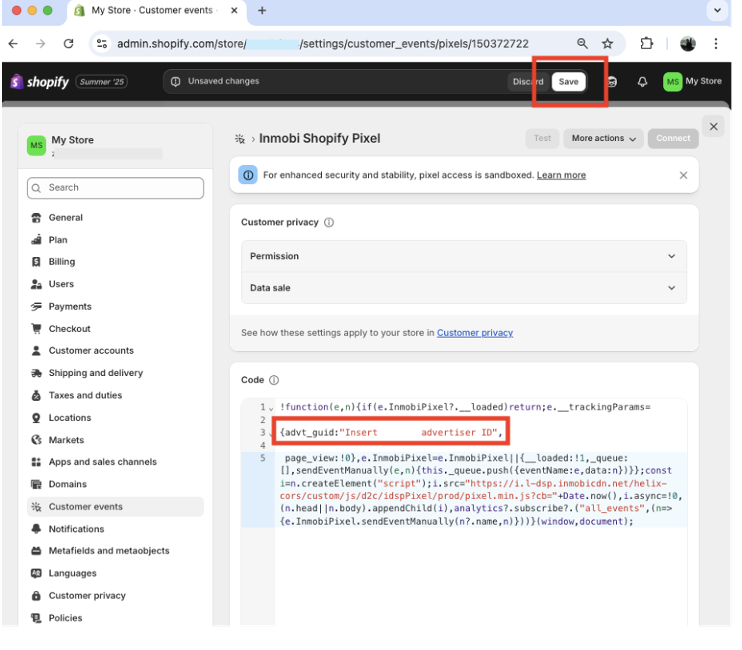
Step 6: Paste the following code and replace <<Insert Glance Advertiser ID>> with your Glance advertiser ID (the Glance Sales POC will help you with this). Click Save.
!function(e,n){if(e.InmobiPixel?.__loaded)return;e.__trackingParams={advt_guid:"<<Insert Glance Advertiser ID>>", page_view:!0, source: "glance"};e.InmobiPixel=e.InmobiPixel||{__loaded:!1,_queue:[],sendEventManually(t,a){this._queue.push({eventName:t,data:a})}};const i=n.createElement("script");i.src="https://i.l-dsp.inmobicdn.net/helix-cors/custom/js/d2c/idspPixel/prod/pixel.min.js?cb="+Date.now(),i.async=!0,(n.head||n.body).appendChild(i);analytics?.subscribe?.("all_events",t=>{e.InmobiPixel.sendEventManually(t?.name,t)})}(window,document);
Step 7: Click Connect. The Connect Glance Shopify Pixel dialog appears.
Step 8: Click Connect.
Step 9: Validate that your Pixel Status is Connected.
B. Integrate Pixel Script
Note
The following assumes that your Shopify theme allows you to modify the page footer. If your theme does not allow this, you may add the script directly to your site's HTML via your theme.liquid file or other means.
Step 1: Click Themes & Customize.
Step 2: Click Add section.
Step 3: Click Custom Liquid.
Step 4: Paste the following script code into the input field. Set both Top padding and Bottom padding to 0 px. Click Save.
<script>(function(){var e=document.createElement("script"),t=Date.now();e.src="https://i.l-dsp.inmobicdn.net/helix-cors/custom/js/d2c/idspPixel/prod/cookieTracker.js?cb="+t,e.async=!0,document.head.appendChild(e)})();</script>