Theme Configuration
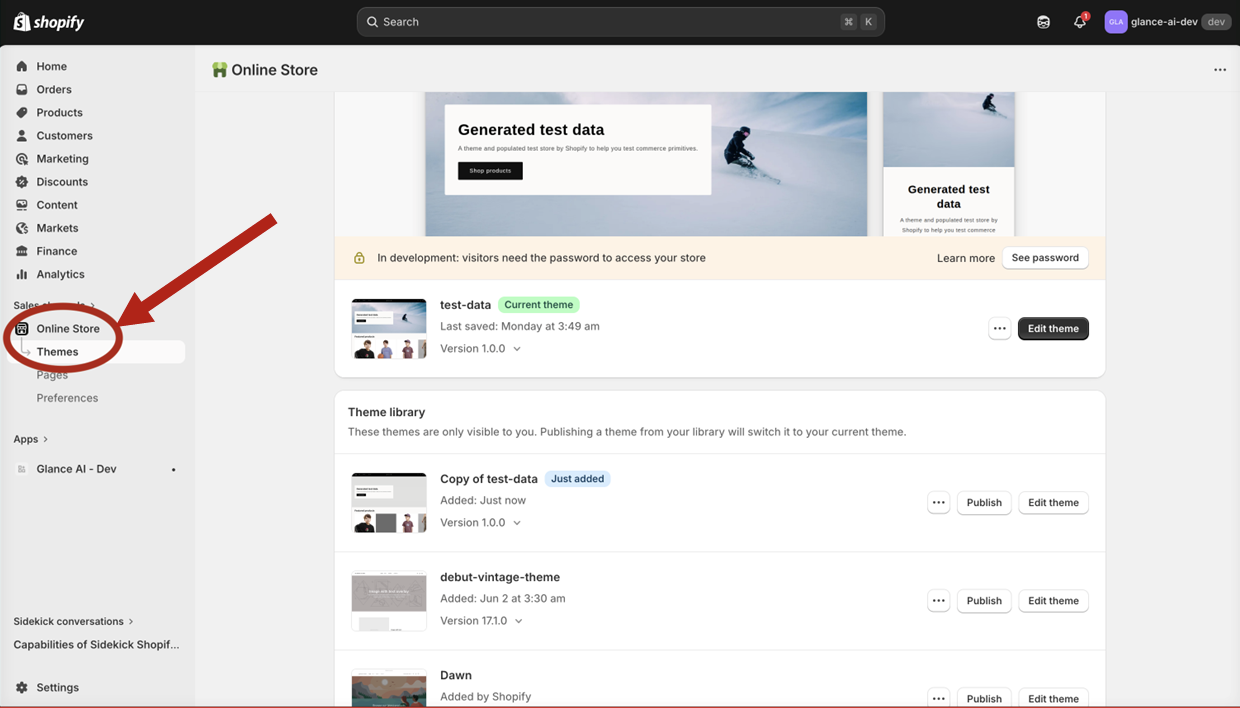
Step 4: Open Theme Settings
- From your Shopify admin, click Online Store in the left sidebar
- Select Themes
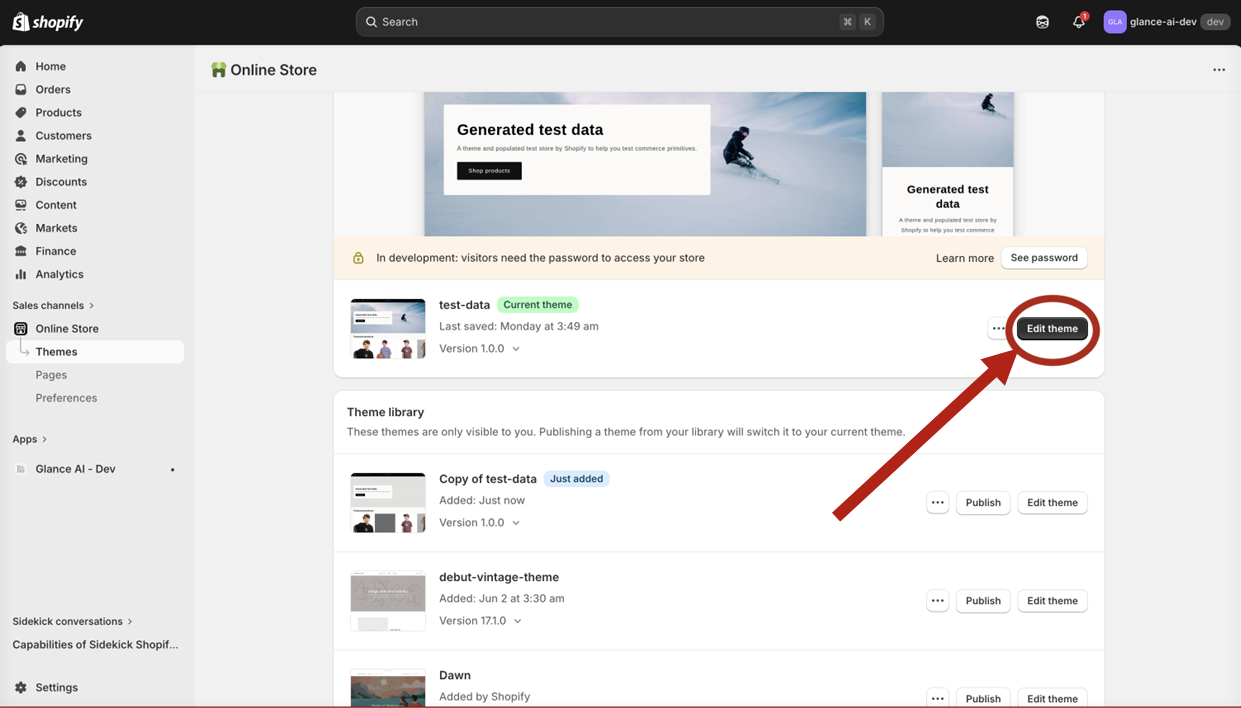
Step 5: Open the Theme Editor
- Locate your current (published) theme
- Click Customize to open the theme editor
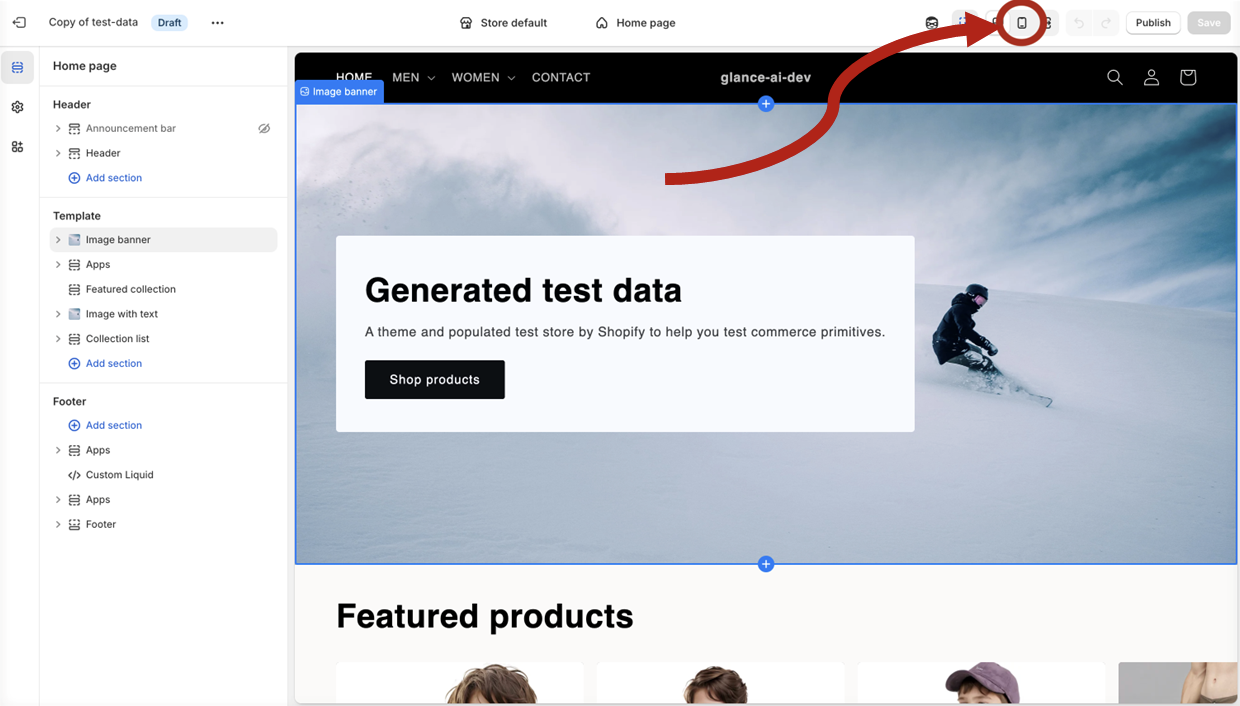
Step 6: Switch to Mobile Preview
Since Glance AI is optimized for mobile, preview in mobile view:
- Locate the device preview icons at the top of the editor
- Click the mobile icon to switch views
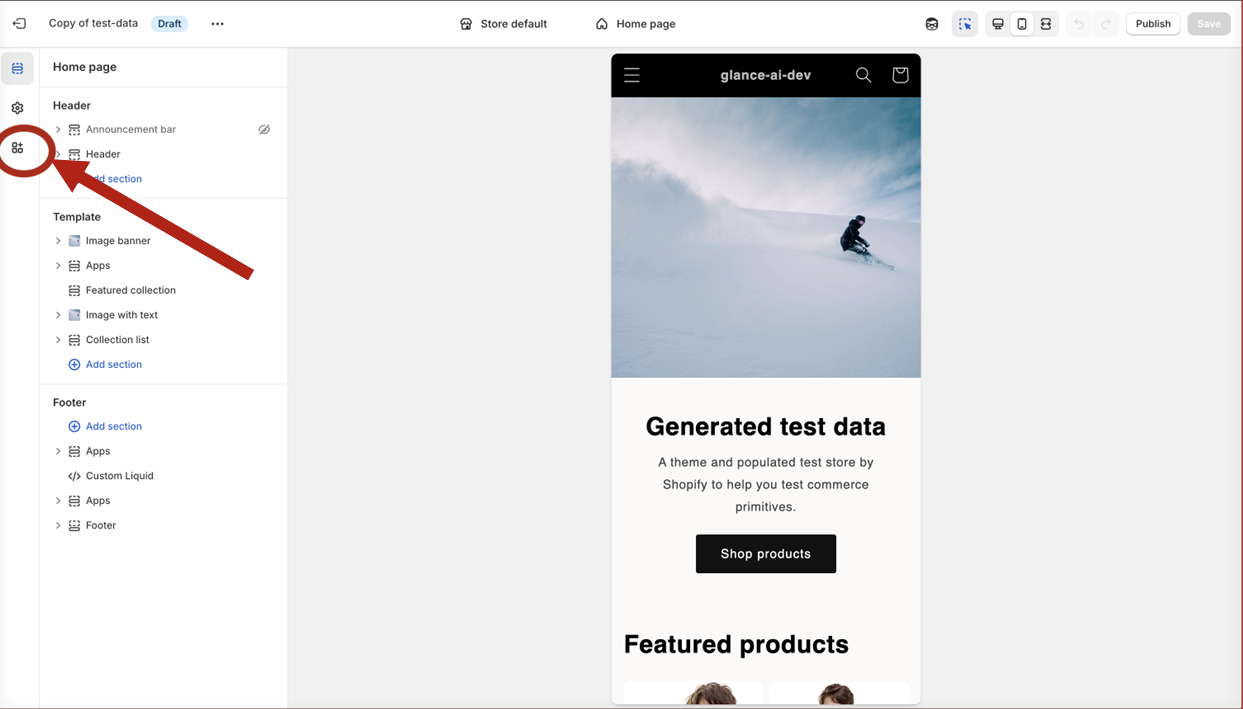
Step 7: Access App Embeds
- In the theme editor sidebar, find App embeds
- Click to expand the section
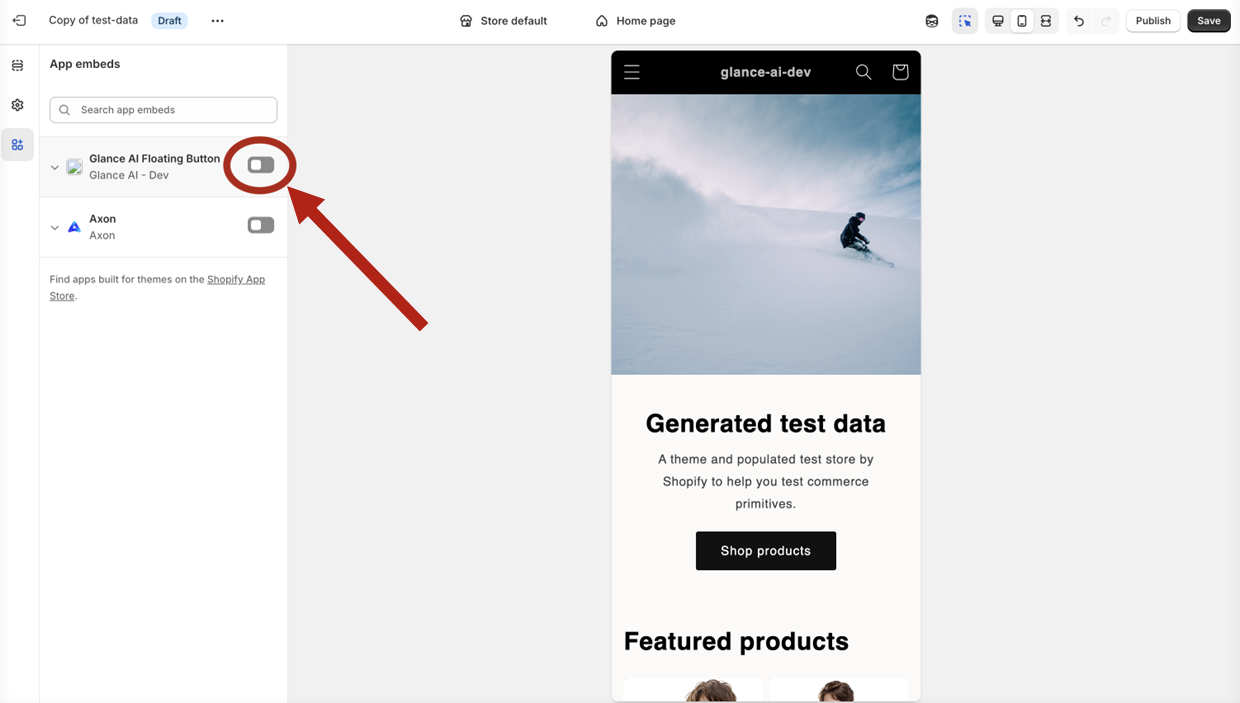
Step 8: Enable GlanceAI Plugin
- Find GlanceAI Plugin in the list
- Toggle the switch to enable
- Click Save
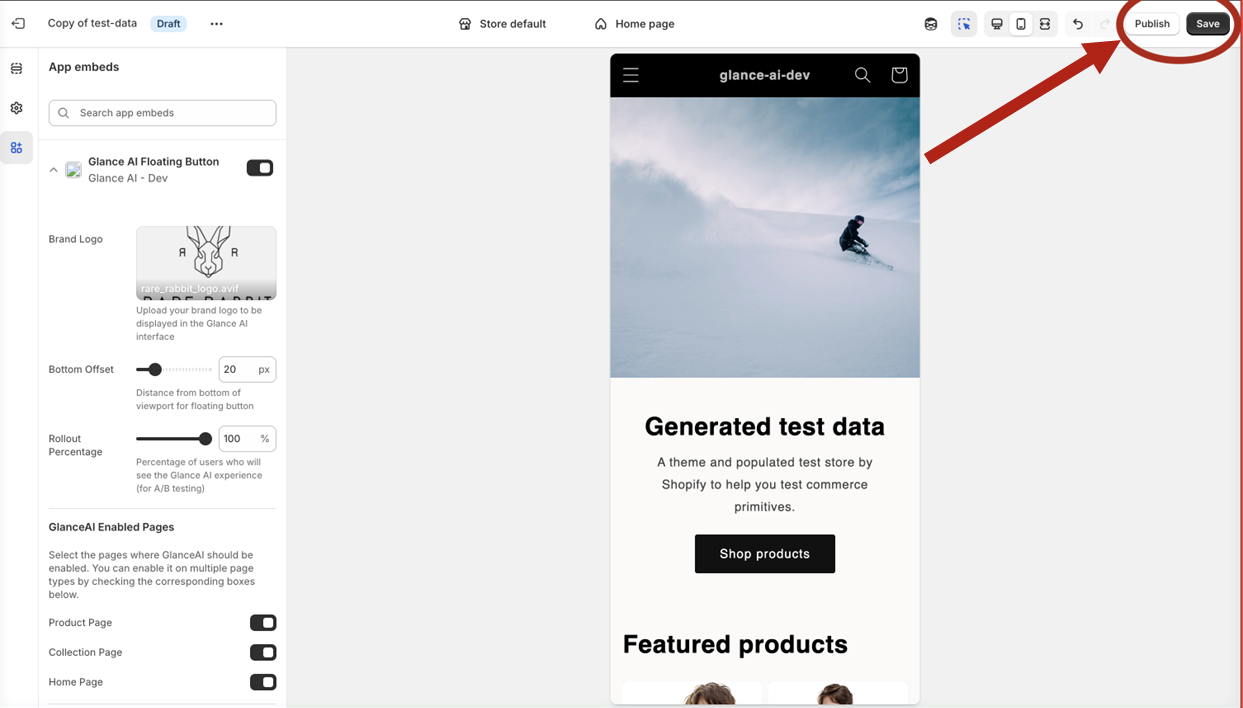
Step 9: Save and Publish
- Click Save in the theme editor
- Publish changes if prompted
- Your store now has Glance AI enabled