Shopify Admin Integration (Recommended)
This is the easiest method for Shopify stores using the Glance AI app.
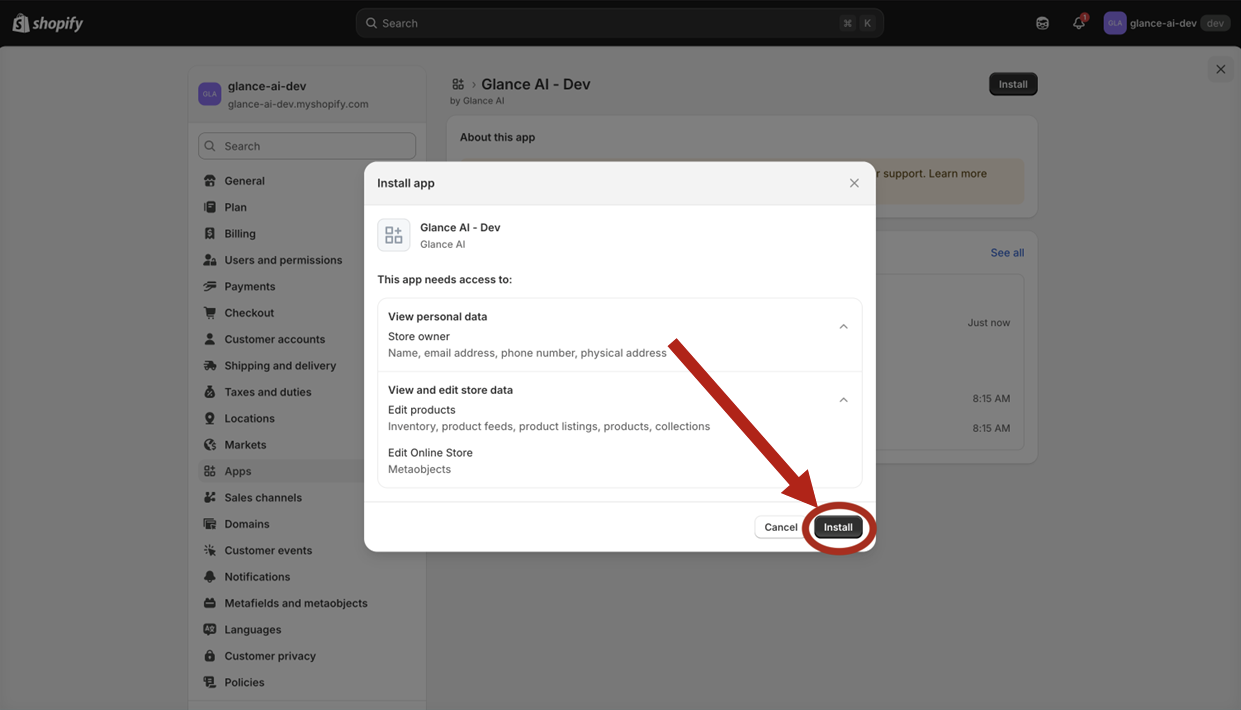
Install the Glance AI App
- Go to your Shopify Admin Panel
- Navigate to Apps section
- Search for "Glance AI" and install the app
- Complete the app configuration and activation
Add Widget Block to Theme
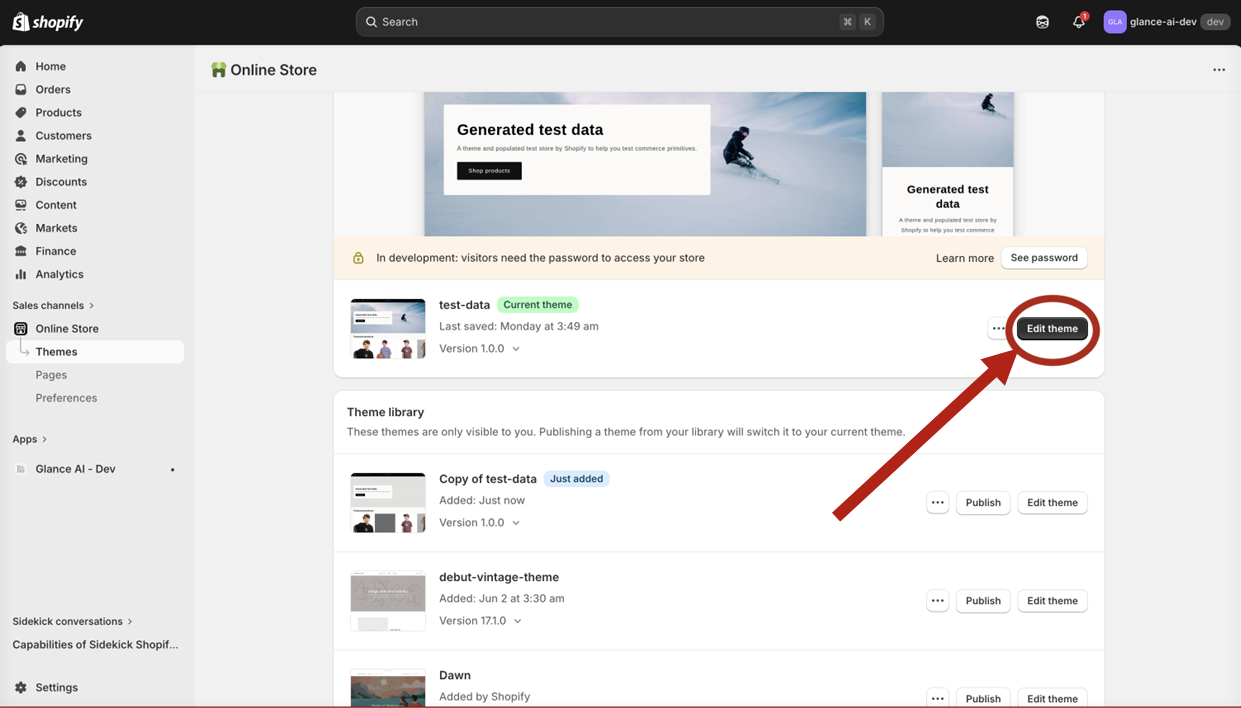
- Go to Online Store → Themes in your Shopify admin
- Click "Customize" on your active theme
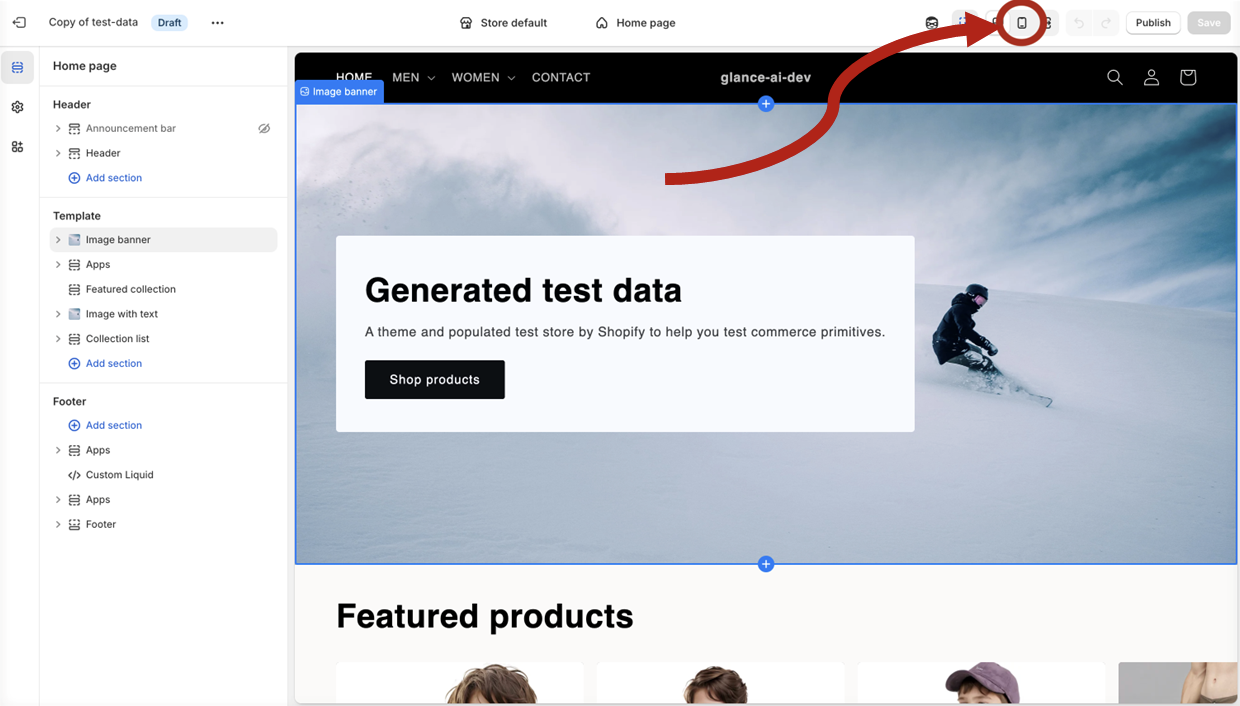
- Important: Switch to mobile preview mode by clicking the phone icon in the top bar. Glance AI widgets are optimized for mobile devices.
- Navigate to the page/section where you want to add the widget (e.g., Home page, Header section)
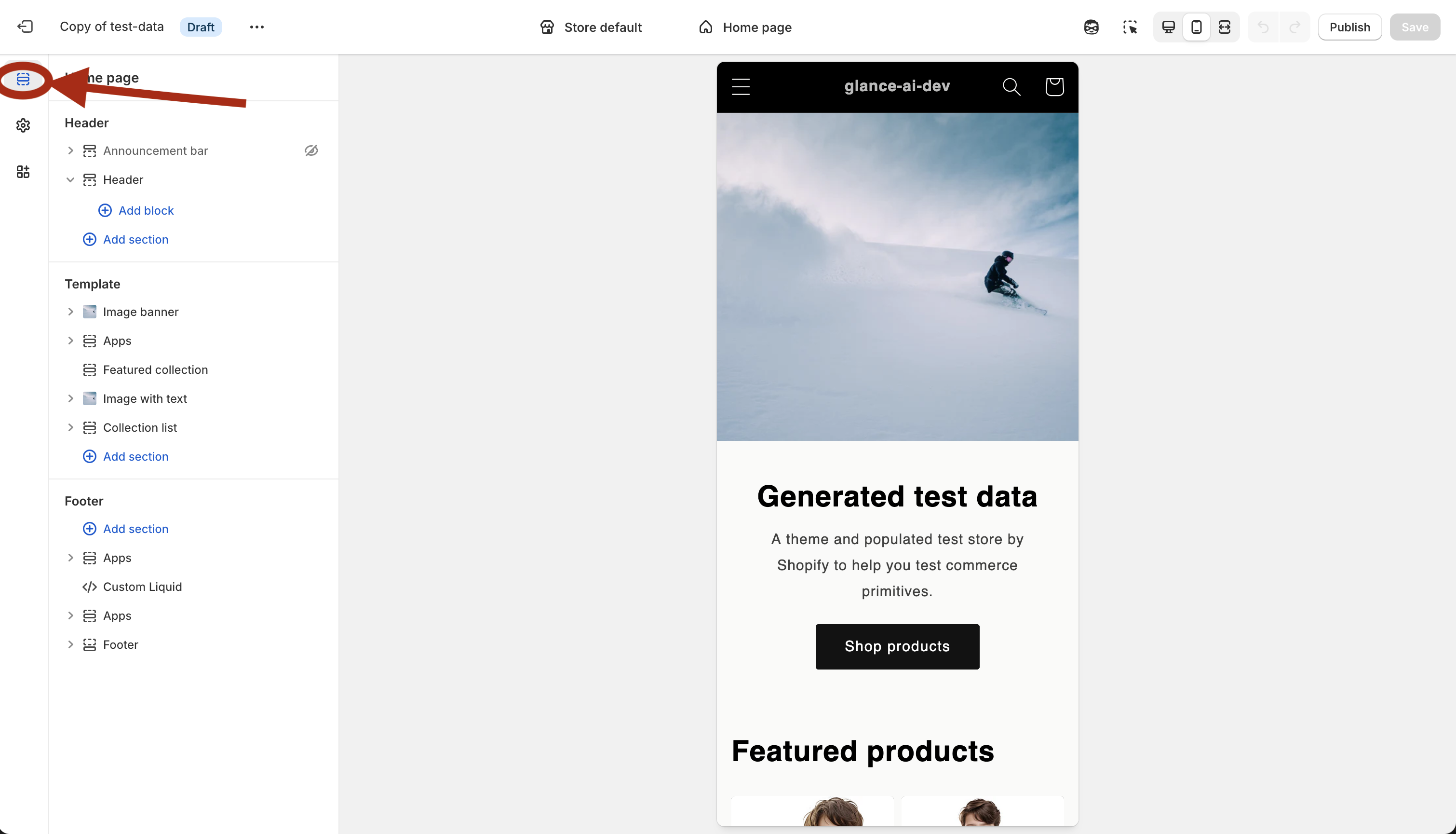
- Click "Add block" to open the block selector
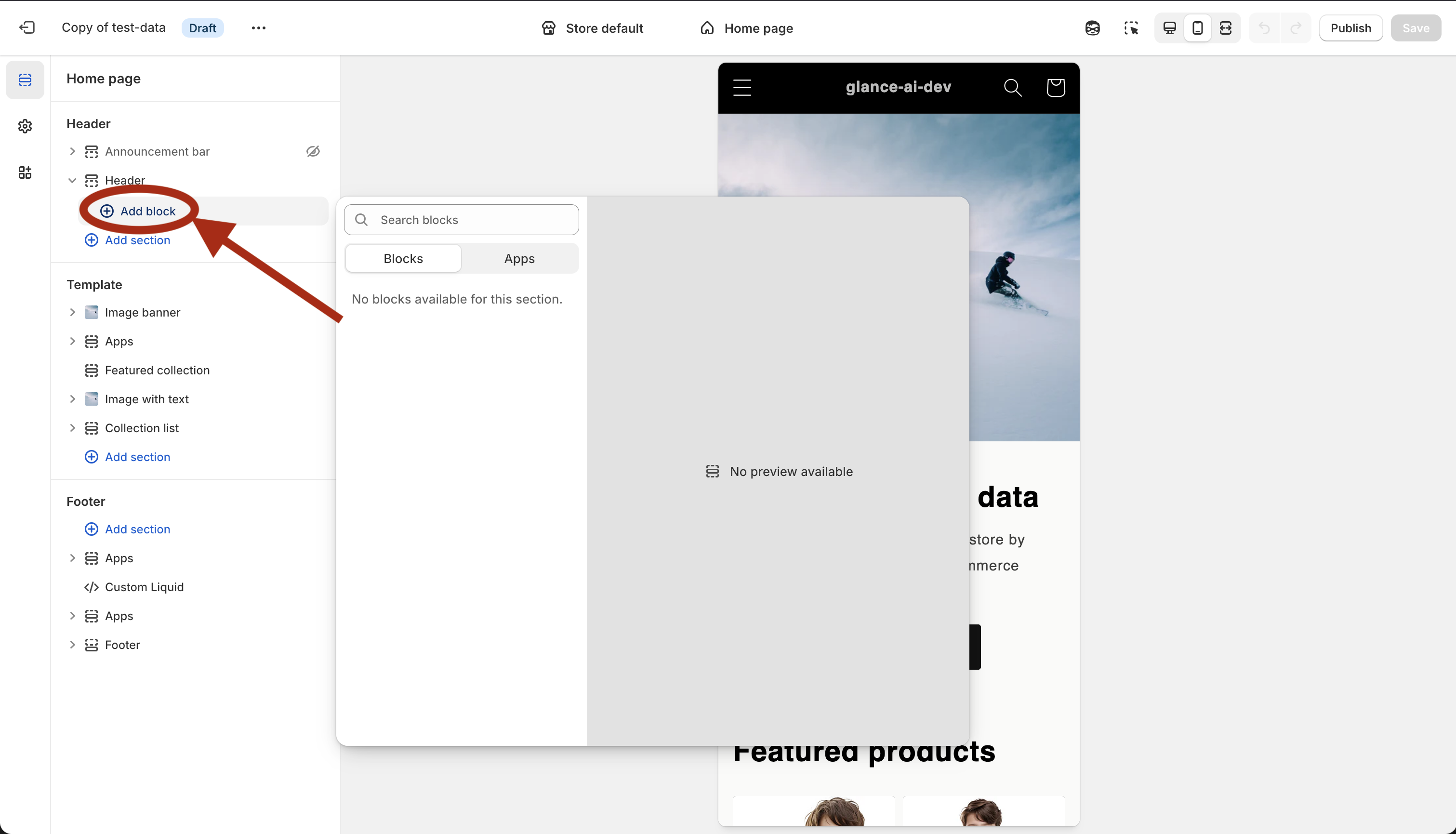
- Switch to the "Apps" tab and select "Glance AI Widget"
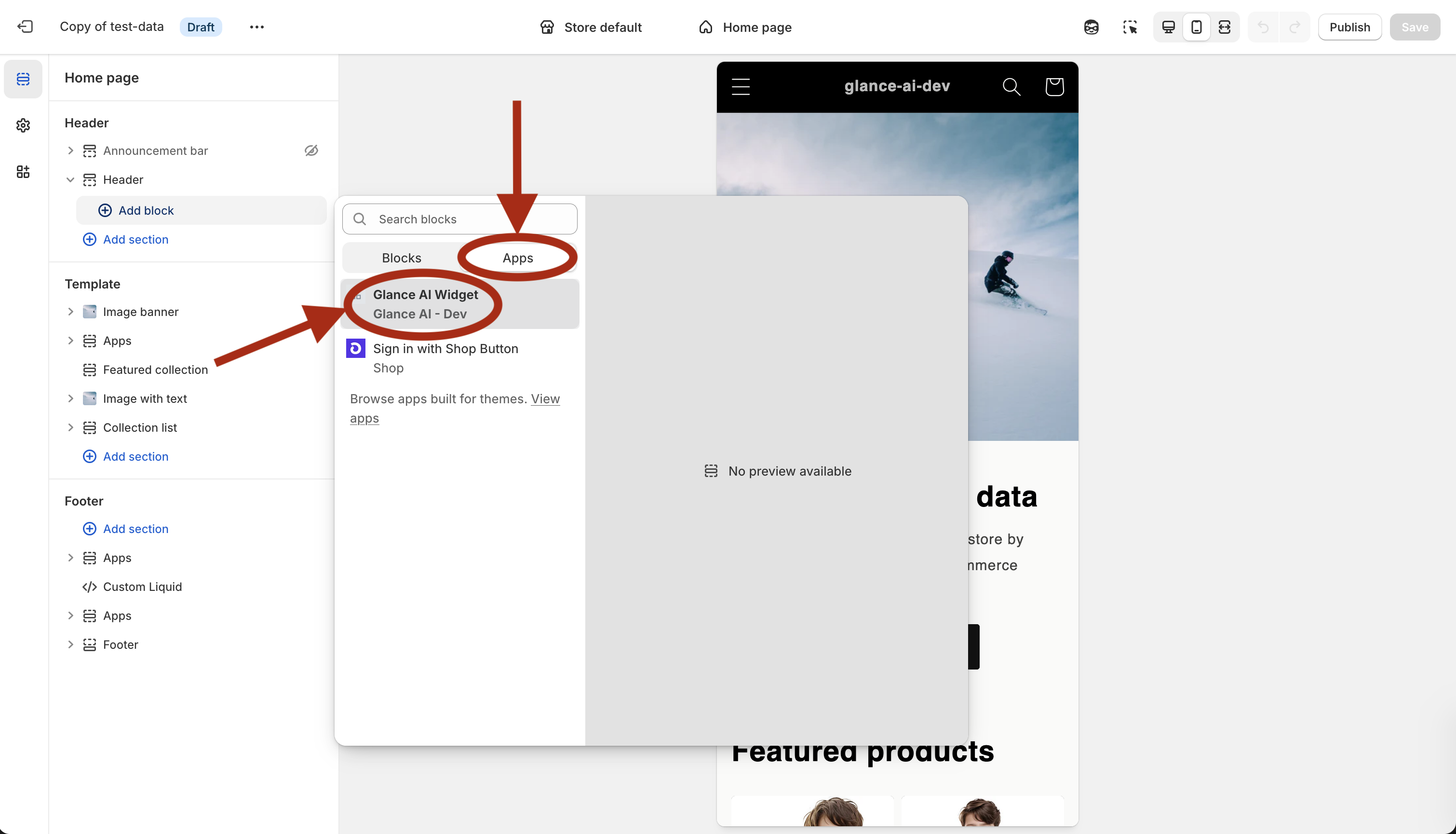
Configure Widget Settings
- After adding the widget, you'll see the settings panel
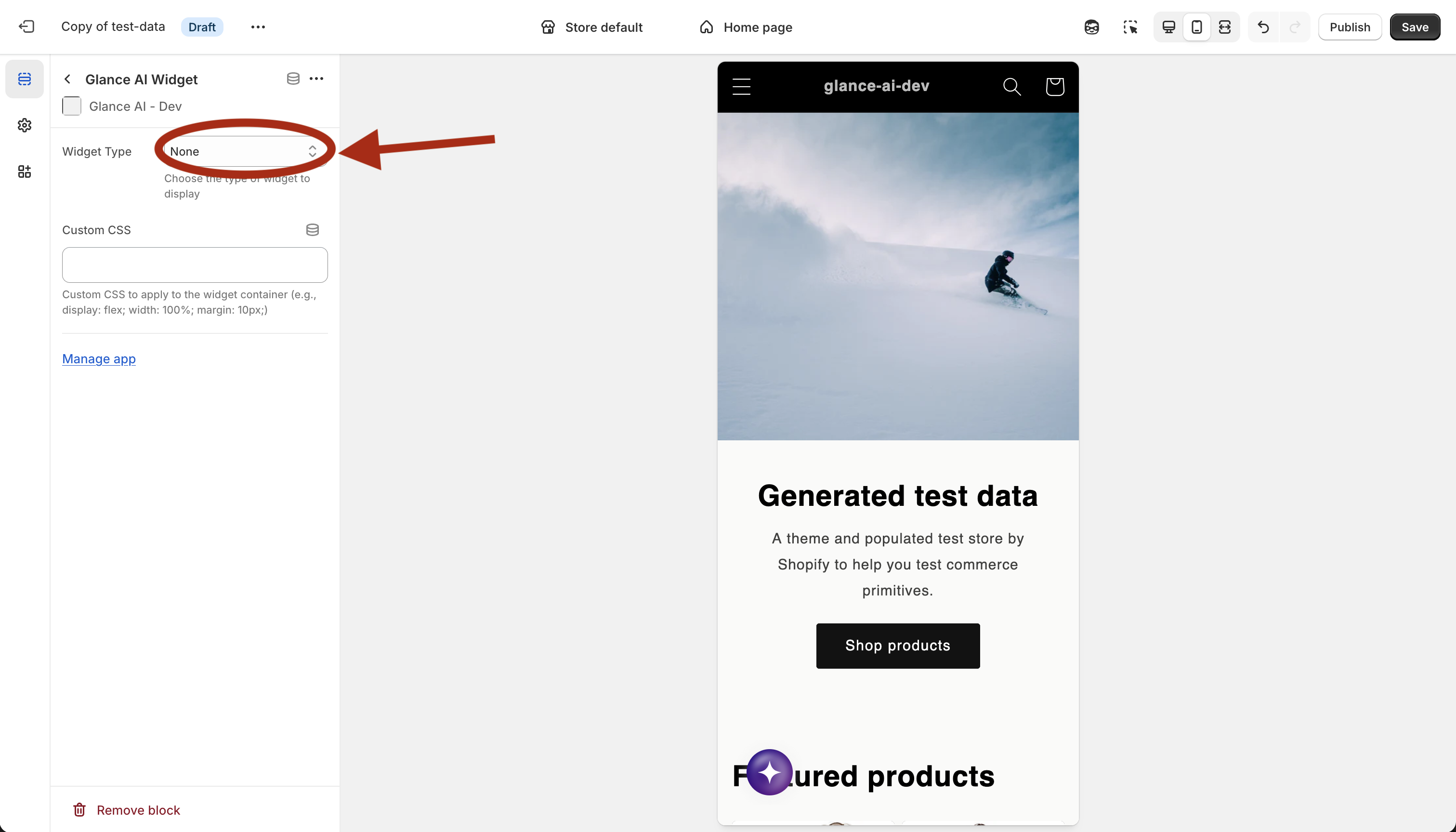
- Select the widget type from the dropdown (Chat, Try On Banner, or Try On Button)
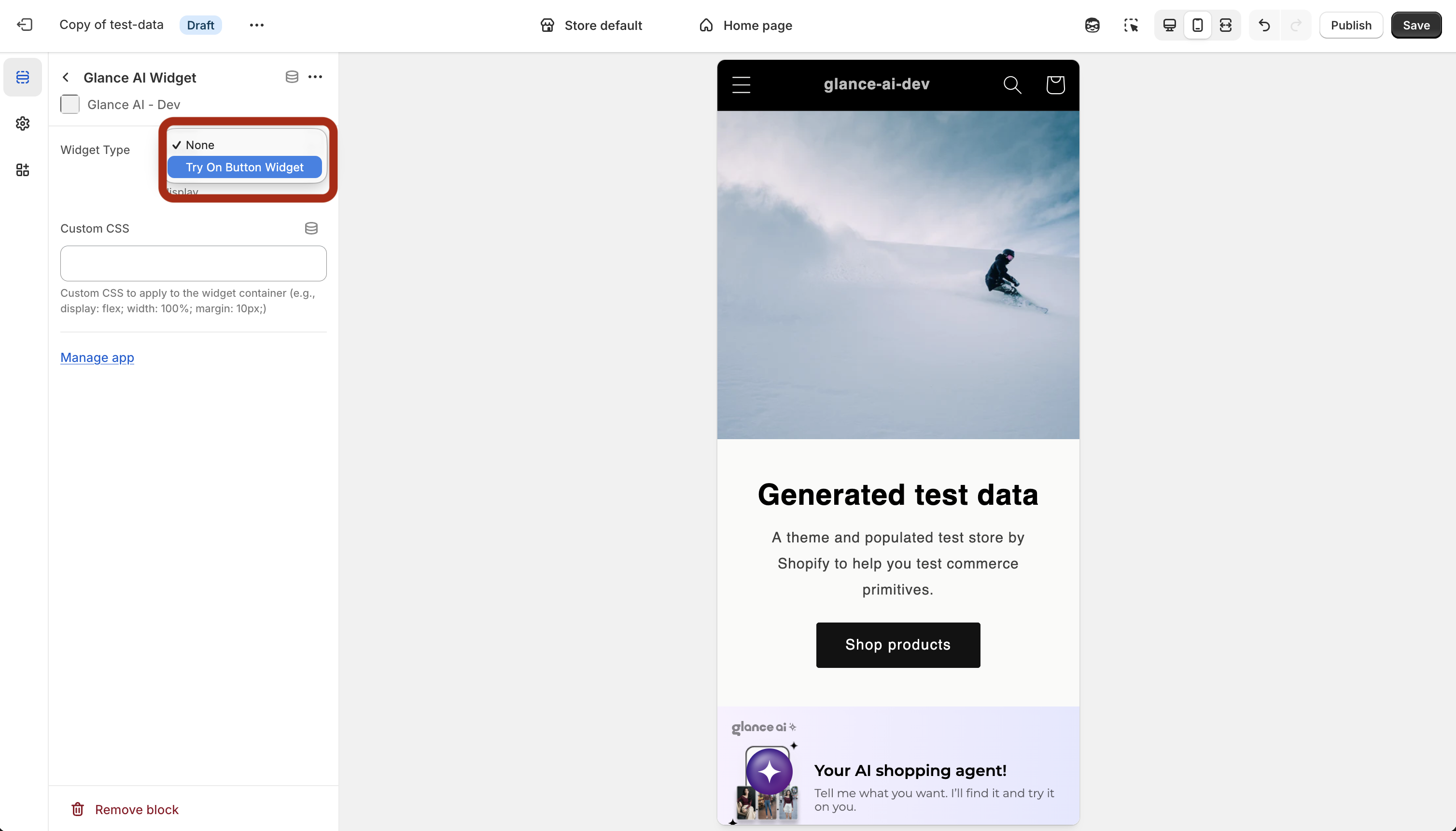
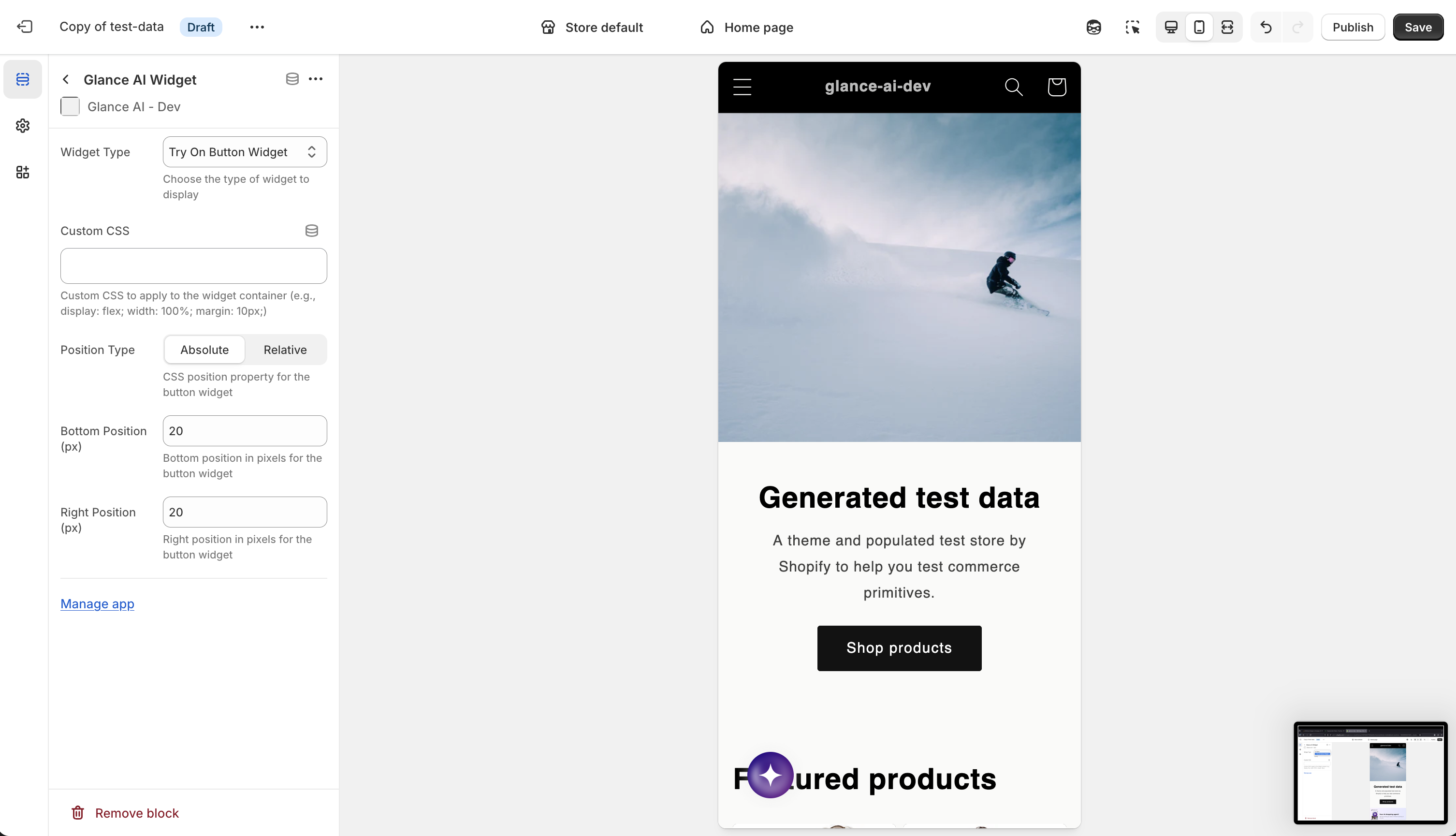
- Configure the widget options based on the selected type:
- Custom CSS: Additional styling for the widget container
- Position Type: For button widgets, choose Absolute or Relative positioning
- Bottom Position: Bottom offset in pixels for button widgets
- Right Position: Right offset in pixels for button widgets
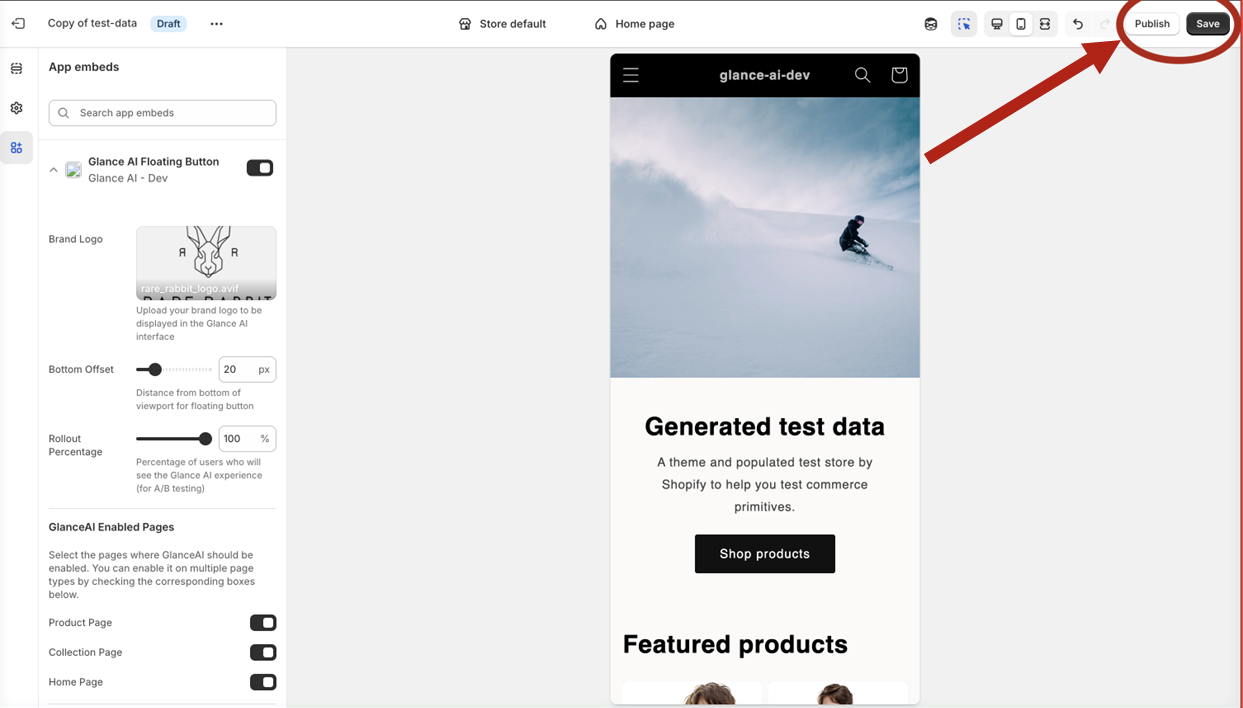
Save and Publish
- Save your theme customization
- The widget will automatically appear on your store